Darken a PDF
Darkening a PDF means changing how dark the ink sits relative to the paper — not turning the whole page black. A good result makes the writing solid while the background gets cleaner, so the page is easier to read on screen and much easier to read once it is printed.
Drop a file below and the tool measures each page first: how light the ink actually is, how grey the paper is, and how much of the tonal range the document is using. It then applies only as much correction as that page needs.
Darken your PDF
Pick a file and the enhanced version appears in a few seconds.
- Upload
- Enhance
- Compare & download
or drop a PDF here — one file at a time, up to 50 MB and 100 pages
Free to try • No signup required • Your file never leaves your device
Advanced settings
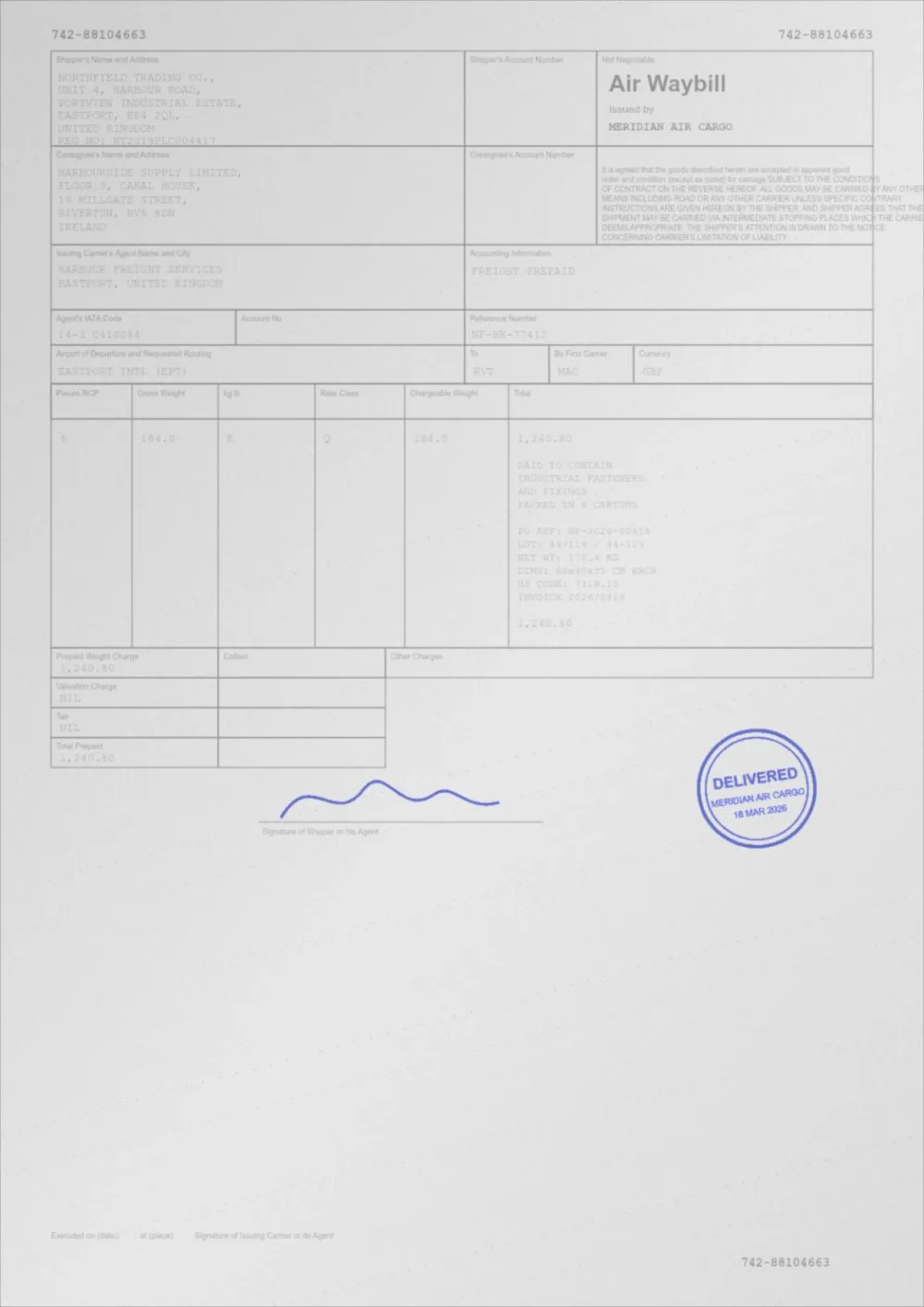
What Auto Print Enhance does to a faded page
A sample faded document, processed by the same engine in Auto Print Enhance mode. Drag the slider to compare.
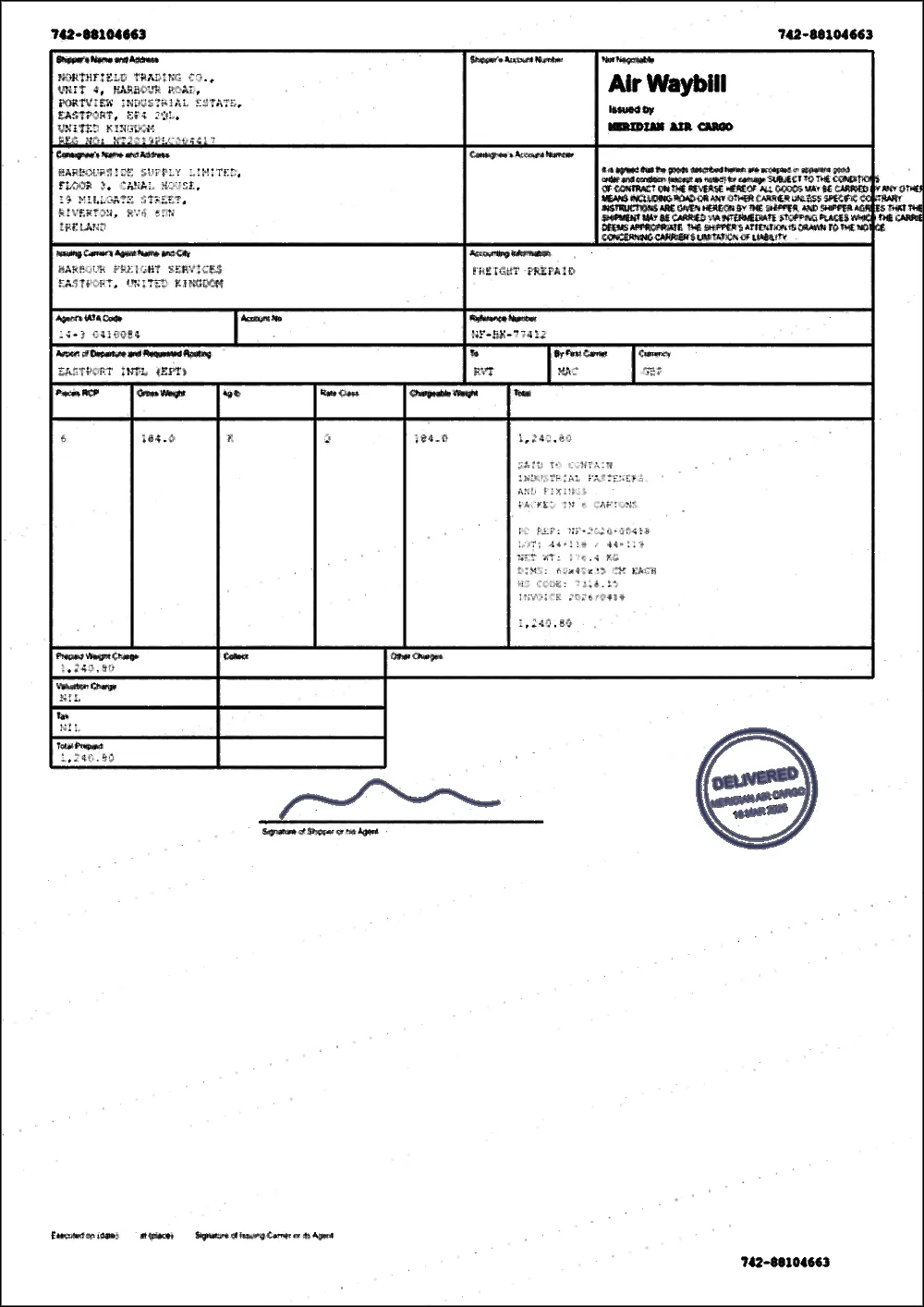 FadedEnhanced
How to darken a PDF
- Choose your PDF in the box above, or drop it on the page. It is opened in your browser and never uploaded.
- Wait while each page is measured and corrected. A multi-page file is processed page by page.
- Drag the slider to compare the original with the darkened version.
- If the result is too strong or too gentle, open Advanced settings and adjust Text Darkness. The file is re-processed with your change.
- Download the new PDF. Your original file is not modified.
Darken a PDF free, without Adobe or a download
You do not need Adobe Acrobat, a desktop program or an account to darken a PDF. This opens in your browser tab, costs nothing and adds no watermark. Because the file is processed on your own device and never uploaded, it is also fine for private documents.
It suits the usual "my PDF is very light" and "my PDF is not dark enough" cases: a dim scan, a page whose text is pale grey, or a document that looks fine on screen but is too faint to read once printed. For paper, start with darkening a PDF for printing; for the printer-side checks, see why a PDF prints too light.
Why some PDFs come out faded in the first place
- The author set the text to a grey or a light colour. This is common in templates and exported design files, and it looks acceptable on a bright screen.
- The page is a scan or a photo taken with too little exposure, so the ink was captured as mid-grey instead of black.
- A thin or light-weight font was used, so the strokes are too fine to print solidly.
- The PDF is a copy of a copy: every generation of photocopying or re-saving lowers the contrast a little more.
Lines, outlines, images and stamps
On a page made of text and vector graphics, the colour of lines, borders and table rules is darkened along with the text, so a pale outline becomes a clear one. On a page that is a picture, such as a scanned drawing or a photographed outline, the whole picture is darkened as an image.
A faded stamp on a scan is lifted along with the rest of the page. Coloured stamps and signatures are darkened more gently so they keep their colour (the Keep colour option); a stamp that is almost the same shade as the paper cannot be fully recovered.
What "darker" actually means here
Every pixel on a page has a lightness value. On a healthy document the ink sits near 0 and the paper near 255, and your printer has an easy job. On a faint document the ink may sit at 150 and the paper at 220 — a gap of 70 out of 255 — and a printer, which cannot emit light, turns that narrow gap into mush.
The tool re-maps that range. The measured ink level becomes the new black point and the measured paper level becomes the new white point, with a gamma curve in between that favours the darker half. The result is ink that reads as ink and paper that reads as paper.
When darkening helps, and when it does not
- It helps a lot with scans of faint originals, photocopies of photocopies, and phone-camera "scans" of paper documents.
- It helps with digital PDFs whose author set the body text to a light grey — surprisingly common in templates and exported design files.
- It helps modestly with thin fonts: the Thicken thin text option outlines glyphs so they hold together in print.
- It cannot recover detail that was never captured. If a scan lost a signature entirely, no amount of contrast will bring it back.
- It will not fix a printer that is low on toner or set to draft mode. Check that first if every document prints faint.
Digital PDFs keep their real text
Most tools that "darken" a PDF quietly turn every page into a picture. That makes text blurry when zoomed, breaks copy and paste, breaks search, and can multiply the file size.
Here, a page made only of text and vector graphics is darkened by rewriting the colour instructions inside the page itself. The letters stay letters.
A page that contains any picture — a scan, a photograph, or even a logo — is treated as an image instead, and its text becomes part of that image. If you need text to stay selectable, check a page of the result before relying on it.
Questions
Does darkening a PDF reduce its quality?
On pages made of text and vector graphics, nothing is re-rendered: the colours are changed and, with Thicken thin text on (the default), thin letters get a hairline outline so they print heavier. On scanned or image-containing pages the page is re-rendered and re-compressed once, which is a normal, one-off cost. Keeping your original file means you can always start again.
Can I darken only some pages?
Each page is measured separately, so pages that are already fine are left almost untouched automatically. There is no per-page manual selection yet.
Can I darken a PDF online for free, without Adobe and without downloading anything?
Yes. The tool runs in your browser tab, is free, needs no account, and does not ask you to install a program. It does not need Adobe Acrobat. The one limit to know about is size: up to 50 MB and 100 pages per file.
Is there a way to darken a PDF so it shows up when it prints?
Yes: darken the file, then print it at Normal or Best quality with toner-save or draft mode off. For a stronger, paper-oriented result use Darken a PDF for printing, which starts in Print Ready mode. If it is a scan that also has a grey background, Clean a scanned PDF deals with that at the same time.
Can I darken a PDF that is only a picture, such as a scanned outline or drawing?
Yes. A page that is an image is darkened as an image, using a tone curve that makes the faint lines and ink darker while the paper is pushed towards white. Very thin, very pale lines can only be darkened as far as they were captured; if they are almost the colour of the paper, there may be nothing to recover.
How dark is too dark?
When mid-grey detail — a scanned photo, a shaded table row, a light stamp — collapses into a solid block. If that happens, lower the Text Darkness and Contrast sliders under Advanced settings, or switch from High Contrast back to Auto Print Enhance.
Can I darken a PDF in Adobe Acrobat or Reader?
The free Reader cannot change the content of a page, so it has no darken option; you can only adjust the printer settings. Paid editors can change text colour. If you just need a darker copy, this page does it without a licence or a download. The Acrobat guide explains what each program can and cannot do.
How do I darken handwriting or a signature in a PDF?
Process the whole page; handwriting and signatures are part of it. Pages with pencil, pen notes or a faint stamp have their own guides: darken handwriting in a PDF and darken a signature in a PDF.
Does this turn a PDF into dark mode?
No. It makes faint ink darker on a light page so it prints and reads clearly. For a dark background to read at night, use your device’s colour settings; how to view a PDF in dark mode lists them.
How do I darken a downloaded article or a saved web page?
Upload the PDF here and compare the preview. If you still have the page open, saving it again from the browser’s reading mode with background graphics off often gives a darker result to start with. See how to darken a downloaded article PDF.
Guides on this topic
- How to Make PDF Text DarkerMaking text darker means different things in a digital PDF and a scanned one. Here is what changes in each, and how to keep text sharp and selectable.
- How to Darken a Scanned PDFScanned pages are images, not text. Here is what that changes, how to darken them properly, and when a rescan will beat any amount of processing.
- How to Darken a PDF: Six MethodsSix ways to darken a PDF, from fixing the source to re-scanning to a browser tool, with what each one costs you and when to use it.
- How to Darken a PDF in Adobe AcrobatWhat Adobe Reader, Acrobat Pro and other desktop PDF programs can and cannot do to darken a PDF for printing, plus a free way that needs no download.
- How to Darken a Downloaded Article PDFSaved a news article, report or web page as a PDF and the text is pale or the print is hard to read? Why it happens and how to make it darker for screen and paper.
Related tools
- PDF contrast enhancerIncrease PDF contrast and adjust brightness online. Four strengths from Light to Print Ready, a before/after preview, and no signup.
- PDF print optimizerMeasure your PDF, see what will print faint or grey, and apply recommended settings in one click. Free, private, in your browser.
- Enhance a scanned PDFEnhance a scanned PDF: it measures your scan first, then cleans grey backgrounds and speckle, darkens the ink and sharpens edges. Preview before you download.
- Darken a PDF for printingMake a PDF darker before you print it. Stronger text, cleaner background and better contrast for laser and inkjet printers. Free, in your browser.
- Fix a faded PDFRestore faded PDFs and faint text. Bring back readability in old scans, thermal receipts, carbon copies and repeatedly photocopied documents.
- Darken handwriting in a PDFMake handwriting in a PDF darker: faint pen, pencil notes and filled-in forms on scans. Runs in your browser, free, no signup, and the original is kept.
- Darken a signature in a PDFMake a faint signature or stamp in a PDF darker so it shows when printed. Works on scans and photos, keeps ink colour, free, in your browser, no signup.
Darken your PDF
Free, no signup, no watermark. Your file stays on your device.
How it works · Features · Privacy
Upload PDF to darken