PDF enhancer
People search for ways to increase PDF quality when a document looks faint, grey, flat or soft. In practice that is a tone problem: the ink is too light, the paper is too grey, or the gap between them is too small. A PDF enhancer fixes tone, and this one puts every control that does so in one place.
Pick a starting point, adjust the six sliders if you want to, and compare the result before you download. There is no AI involved: each page is measured, then corrected with a tone curve and a few standard image filters you can see and change.
Enhance your PDF
Choose a starting point, upload your PDF, and compare the result before you download.
- Upload
- Enhance
- Compare & download
or drop a PDF here — one file at a time, up to 50 MB and 100 pages
Free to try • No signup required • Your file never leaves your device
Advanced settings
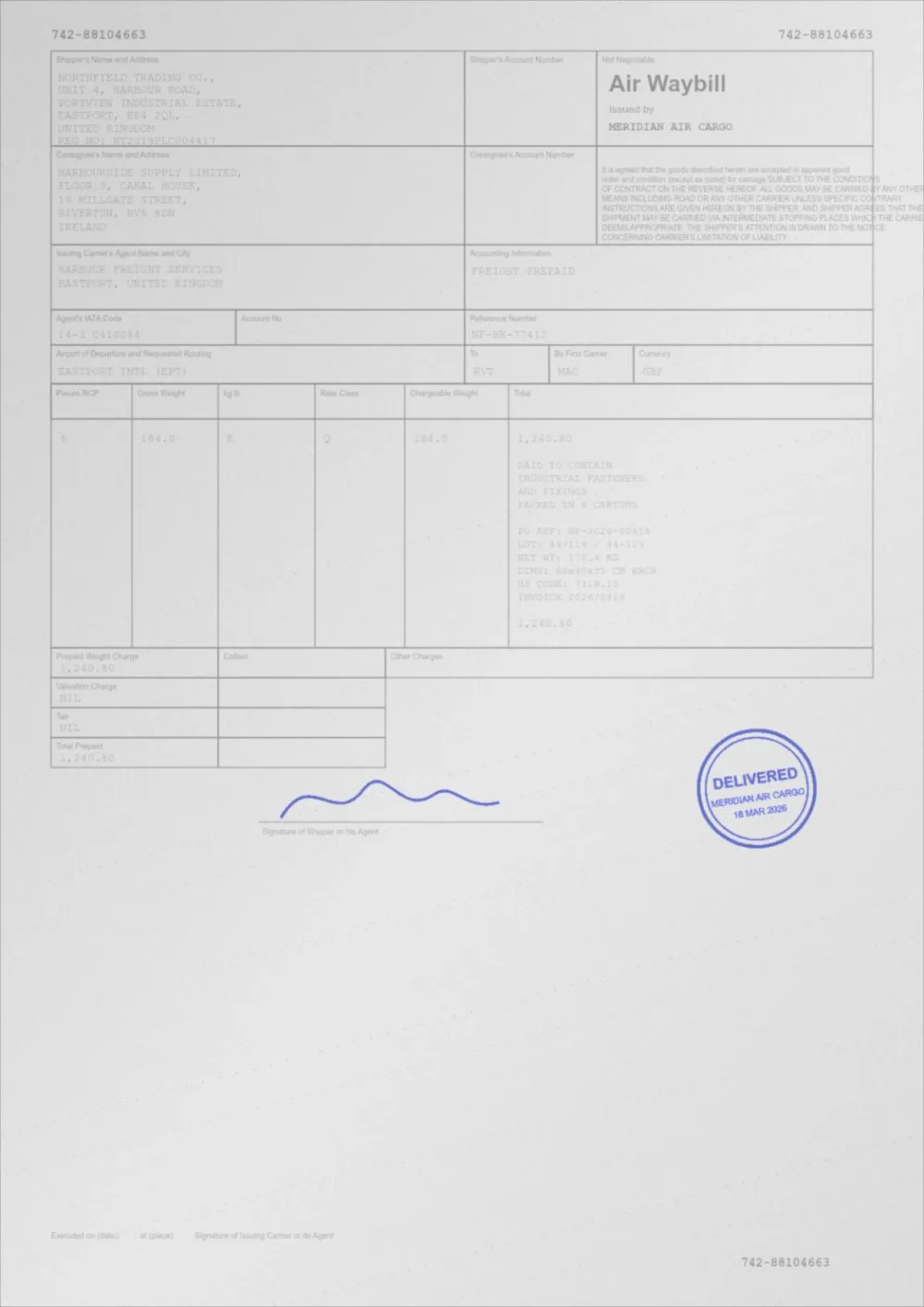
What Auto Print Enhance does to a faded page
A sample faded document, processed by the same engine in Auto Print Enhance mode. Drag the slider to compare.
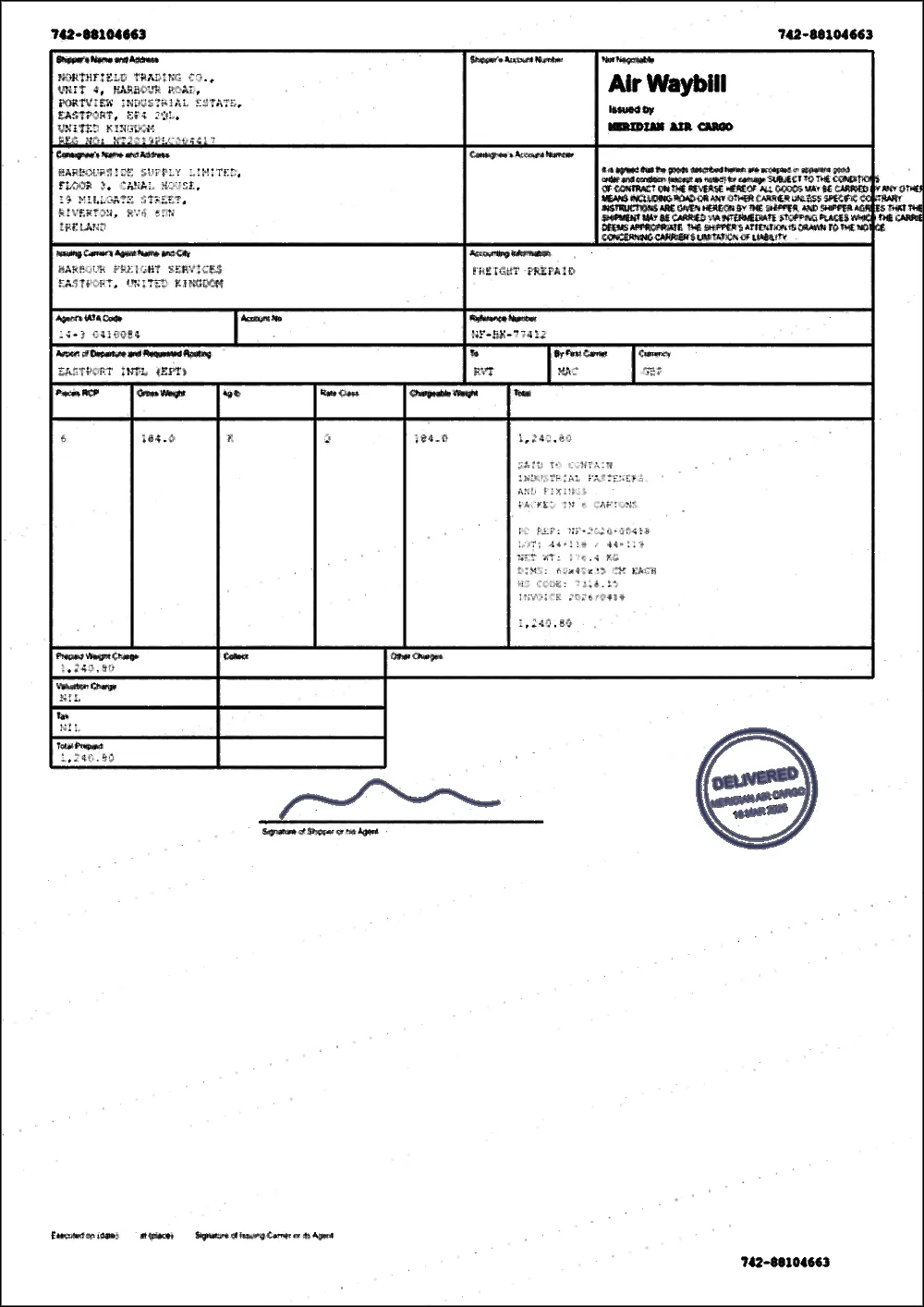 FadedEnhanced
How to enhance a PDF
- Pick a starting point above. Balanced is selected to begin with and measures each page.
- Choose your PDF, or drop it on the page. It is processed in your browser and never uploaded.
- Drag the slider to compare the original with the result, and use Previous and Next to check other pages.
- If it is not right, change the starting point or move a slider, then press Apply new settings.
- Download the new PDF. The original is left untouched.
What the enhancer can change
- Text darkness — pushes faint ink towards black.
- Contrast — widens the gap between ink and paper.
- Brightness — lifts or lowers the mid-tones without moving pure black or white.
- Background — pushes grey paper towards white, using a paper level measured across the page.
- Sharpening — a mild unsharp mask that firms up soft edges.
- Noise reduction — removes speckle from the paper side of the page without touching the strokes.
- Under Advanced settings you can also switch to Grayscale or Black & White, keep or drop colour, and turn Thicken thin text on or off.
Which tool for which problem
The enhancer does all of the above at once. If you already know what is wrong, a focused page starts in the right place:
- The page looks grey and dull: Brighten PDF.
- The text is faint or faded: Darken PDF or Fix a faded PDF.
- The page looks flat: PDF contrast enhancer.
- It prints too light: PDF print optimizer, which measures first and recommends settings.
- It is a scan with shadows, speckle or a grey cast: Enhance a scanned PDF or Clean a scanned PDF.
The four starting points
- Balanced — measures each page and applies only what it needs. A page that is already crisp is left almost alone.
- Scan cleanup — strong background correction and despeckling with moderate darkening.
- Print ready — darker ink, whiter paper and a mild sharpen, tuned for paper.
- Lift dull pages — lifts mid-tones and whitens dull paper while keeping the ink solid.
- Move any slider and the starting point shows as Custom. Your numbers are used exactly as set.
What enhancing cannot do
- It cannot add resolution. A low-resolution scan stays low resolution; sharpening only improves how crisp the existing detail looks.
- It cannot recover detail that was never captured, such as a stroke that has faded to exactly the colour of the paper.
- It does not straighten crooked pages or edit text, and it does not run OCR here: OCR a scanned PDF cleans and reads a scan.
- It does not use AI. The result is a measured tone correction, which is why you can predict and adjust it.
Questions
How do I increase the quality of a PDF?
If the problem is faint text, a grey background or a flat look, upload it above and start with Balanced. Those are tone problems and the enhancer corrects them. If the problem is low resolution or blur, no tone control can add detail that is not there, although Sharpening can make soft edges look firmer.
Does the PDF enhancer use AI?
No. Each page is measured, then corrected with a tone curve and standard filters: an unsharp mask for sharpening and a median filter for speckle. Every value is a slider you can see.
Will it make my PDF higher resolution?
No. Pages that contain images or scans are re-rendered at 200 DPI, and scans captured at a lower resolution are not upscaled.
Which starting point should I use for a scanned document?
Try Balanced first. If the background is still grey or speckled, try Scan cleanup. If the text is still too light afterwards, raise Text darkness rather than switching to Black & White, which discards mid-tones.
Will the text stay selectable?
On pages made only of text and vector graphics, yes. A page that contains any picture, including a scan or a logo, is enhanced as an image, and its text becomes part of that image.
Is my PDF uploaded?
No. Reading, measuring, enhancing and writing the new file all happen inside your browser tab.
Guides on this topic
- How to Improve Scanned PDF QualityMost scan quality is decided at capture time. Resolution, colour mode, lighting and compression settings that make every later step easier.
- How to Increase PDF ContrastBrightness, contrast, black point, white point and gamma explained with documents in mind — and how to pick the right one for a faint PDF.
- How to Make a Scanned Document More ReadableReadability is more than contrast: resolution, sharpening, colour handling, OCR and accessibility all decide whether a scan is genuinely usable.
- How to Make PDF Text Easier to ReadWhat actually makes a PDF hard to read, from contrast ratio to stroke thickness to paper versus screen, and what you can change when you cannot edit the original.
Related tools
- PDF print optimizerMeasure your PDF, see what will print faint or grey, and apply recommended settings in one click. Free, private, in your browser.
- PDF contrast enhancerIncrease PDF contrast and adjust brightness online. Four strengths from Light to Print Ready, a before/after preview, and no signup.
- Brighten a PDFBrighten a PDF online: lift dull mid-tones and whiten grey paper without washing out the ink. Four strengths, before/after preview, no signup.
- Enhance a scanned PDFEnhance a scanned PDF: it measures your scan first, then cleans grey backgrounds and speckle, darkens the ink and sharpens edges. Preview before you download.
Enhance your PDF
Free, no signup, no watermark. Your file stays on your device.
How it works · Features · Privacy
Upload PDF to enhance